Cut your video automatically, locally on your Mac. The agent builds the rough cut while you keep filming.
AgenticCutter is a local, agentic video cutter for macOS. You say what should stay, the cutter does the rest: filler words out, pauses tightened, the clean take remains. Driven through Claude Code or Codex, no clicking through waveforms.
AgenticCutter 0.1.10 · DMG, 348 MB · notarized by Apple · Apple Silicon, macOS 26 or newer
Free for 7 days, then a subscription or a one-time purchase. Requires macOS 26 (Tahoe) or newer on an Apple Silicon Mac plus a Claude/Codex account or LM Studio.

See it in action: Propose, Approve, Render
Less explaining, more showing. In about 25 seconds you see the whole path: you say what you want, the agent cuts.
Animated product walkthrough, not a screen recording. Shows a typical editing task from start to finish.
Edit your video by talking to it.
The app, screen by screen
Seven images prepared for the Mac App Store. The window frames are rebuilt; every label inside them is a string from the app.
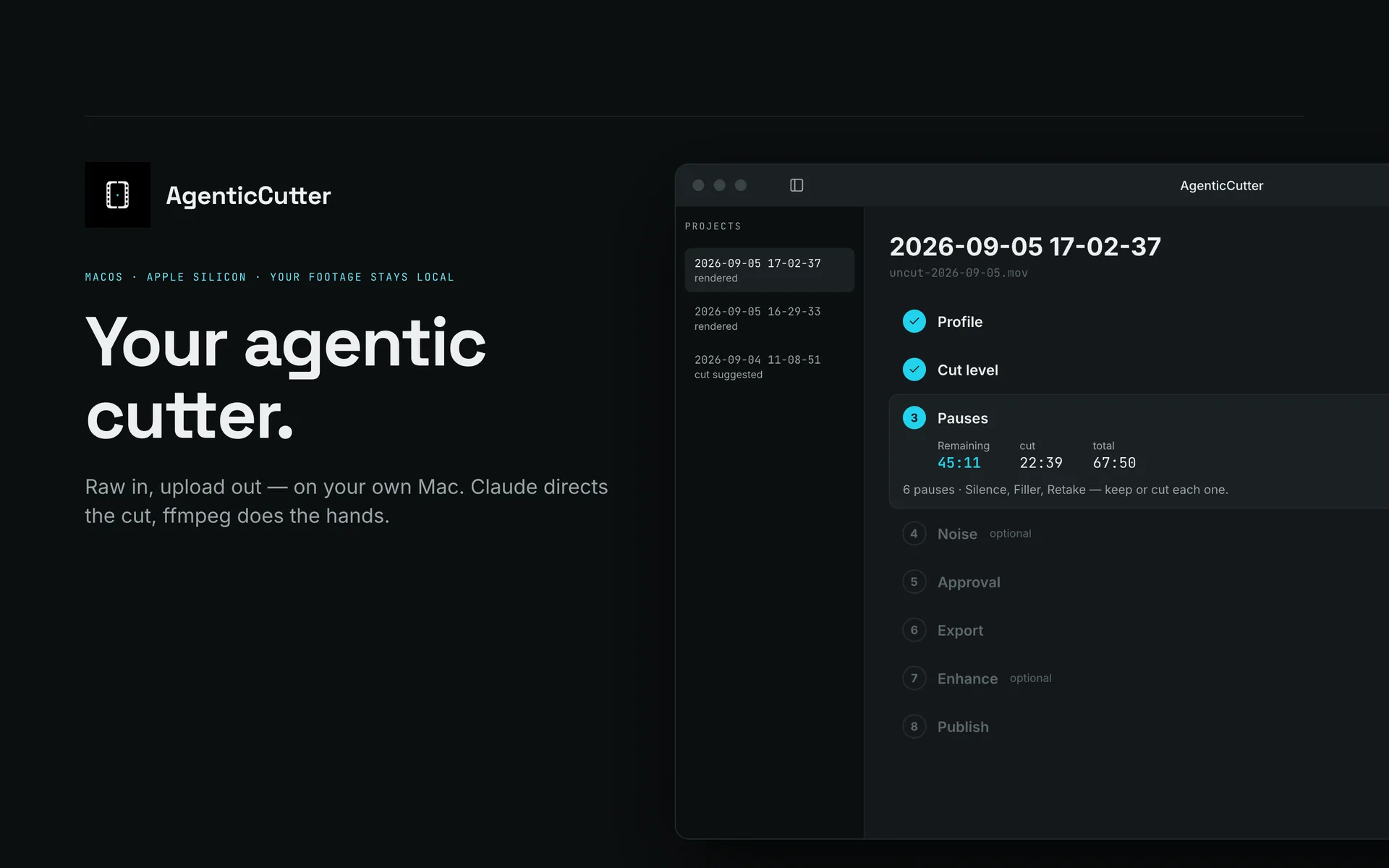
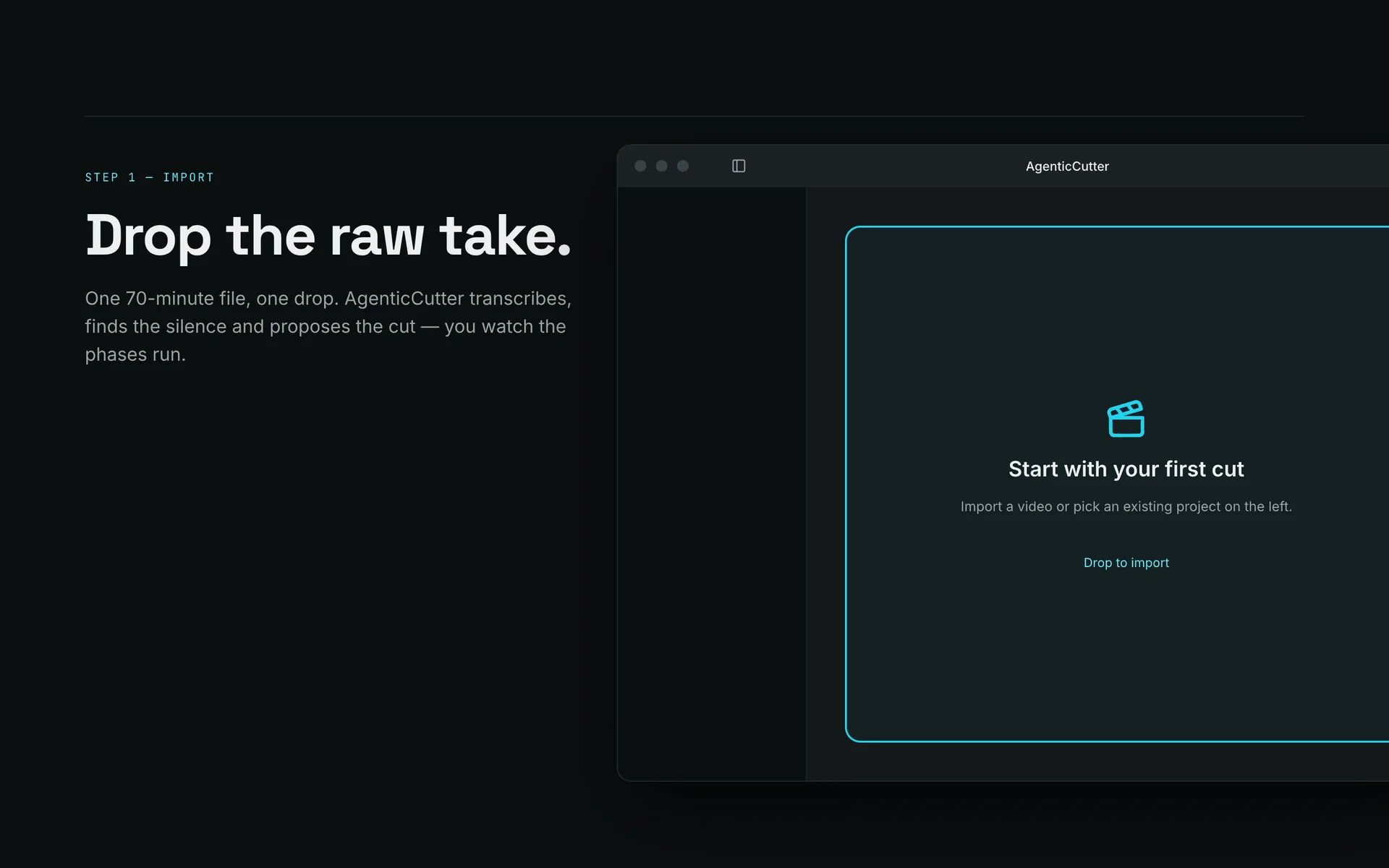
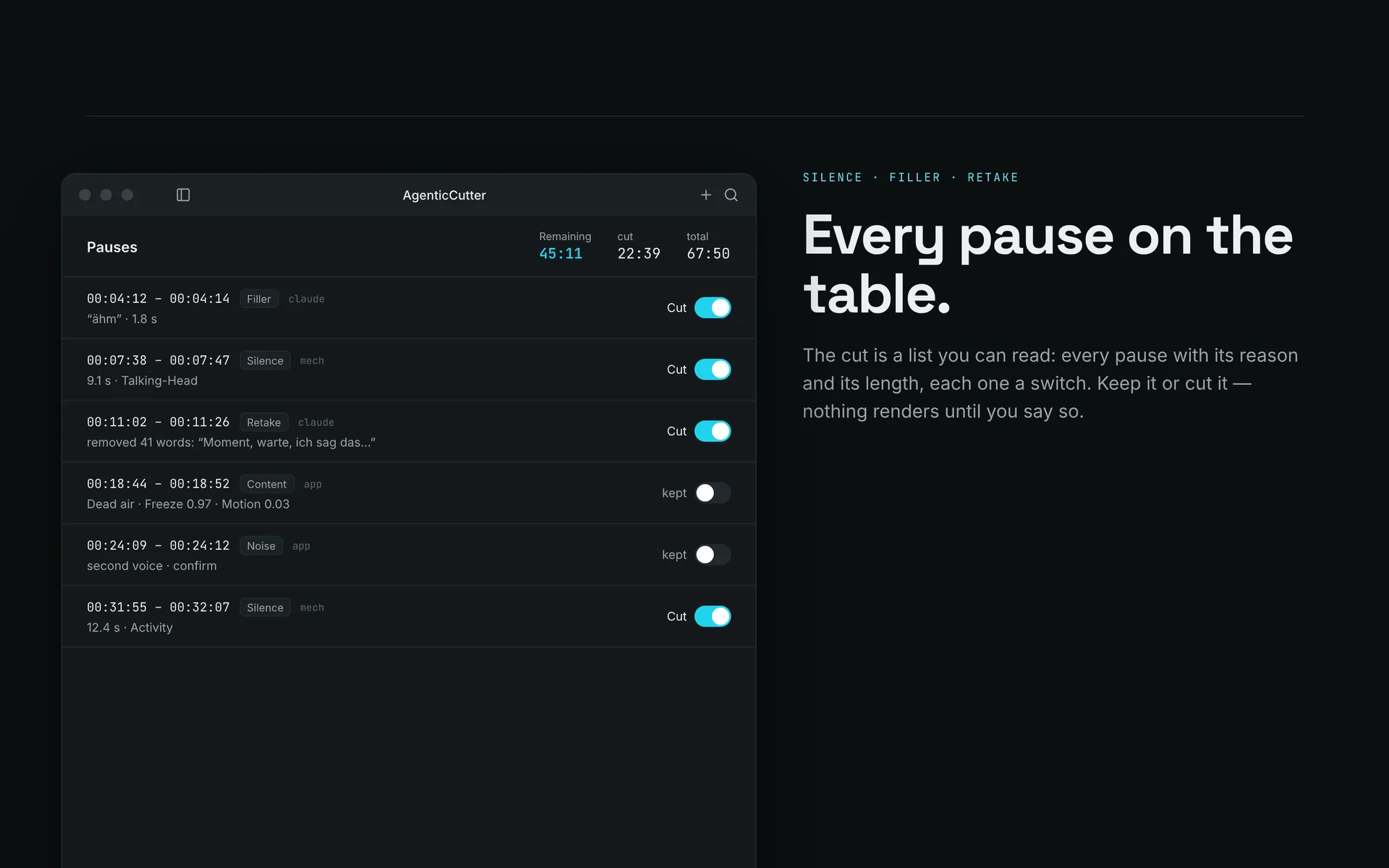
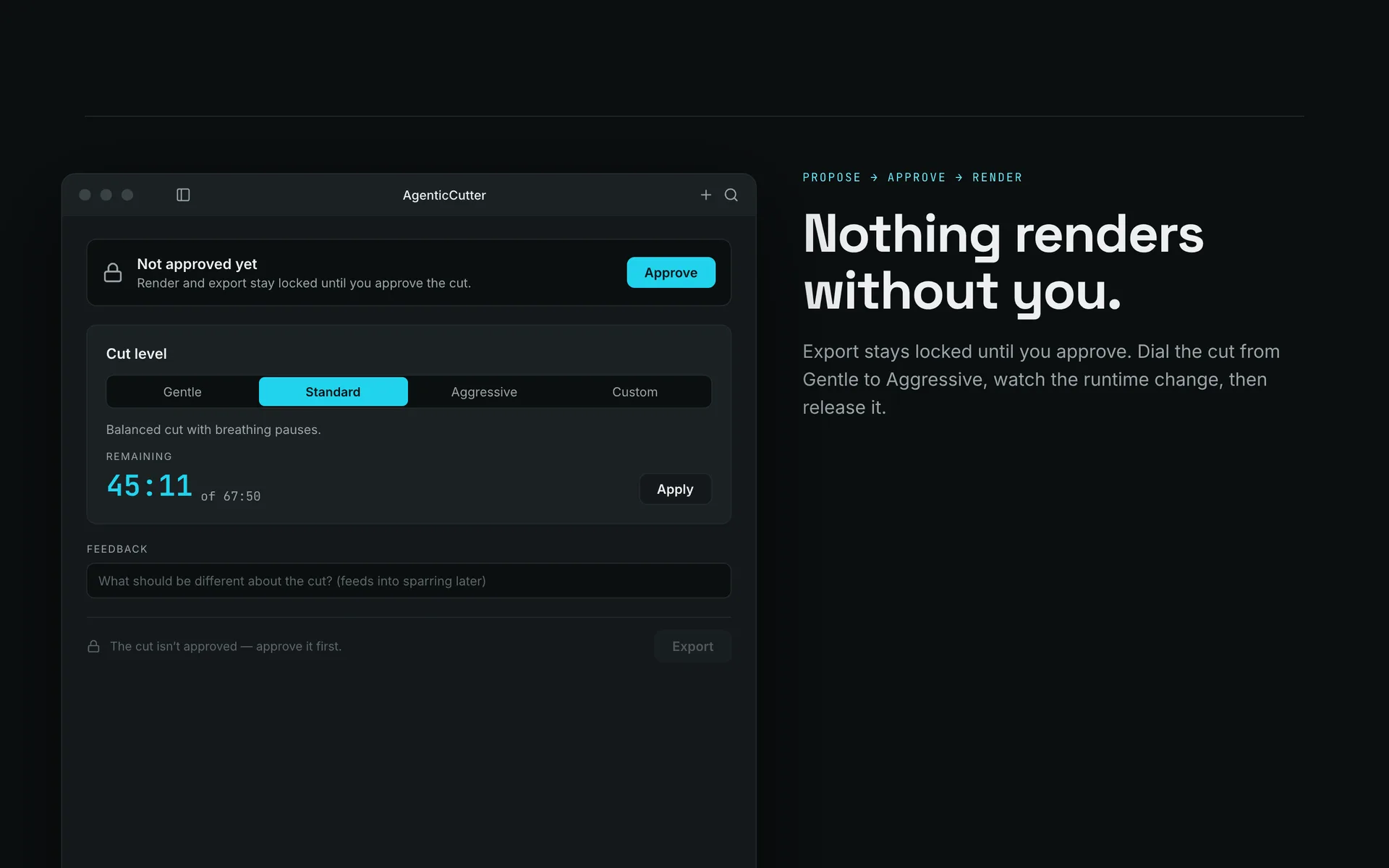
Eight phases, one track
Cuts my own videos, every week. Try it free for 7 days.
Editing eats your hours, not shooting.
Shooting is the fast part. Then you sit in the editor for hours repeating the same three moves: cut the uh, trim the pause, delete the stumble. Mechanical work that keeps you from the next video.
- Removing filler words and pauses costs hours per video.
- You hunt for words in waveforms instead of reading them in a transcript.
- Every retake needs to be found manually, reviewed, and deleted.
You edit words, the cutter cuts the video.
AgenticCutter transcribes your recording and shows you the edit as text. You say in plain language what should happen: tighten it, keep the take, cut harder. The cutter suggests, you approve, it renders. Controlled directly from Claude Code or Codex; transcription and rendering run on your machine.
Okay, um, today's video is actually pretty simple, wait, let me start over actually pretty simple: I'll show you how your rough cut takes care of itself, [4s of silence] while you're already filming the next episode.
How it works
Three steps from raw footage to finished video. You stay in control, the cutter does the work.
Suggest
The cutter transcribes your recording and shows you the cut as text. Filler words and pauses are highlighted so you see at a glance what can go.
Approve
You read the transcript and say in plain language what should stay: cut tighter, keep a take, remove the ums. You decide, the cutter executes.
Render
The cutter edits and exports locally as mp4 or ProRes. Your video is not uploaded or rendered in the cloud during that step.
What AgenticCutter actually handles
Six editing jobs you still do by hand today. AgenticCutter takes care of them automatically, right inside your timeline.
Shorten pauses
Long silences between sentences are compressed to a natural length so your video flows without sounding rushed.
Cut out stumbles (in progress)
AgenticCutter spots broken words and retakes in the transcript. Detection is built, wiring into app and CLI follows, today you mark them yourself.
Trim starts and ends
Dead air and long pauses at the start and end of a clip are trimmed so every sequence gets straight to the point.
Select the best take (in progress)
With several takes of the same passage the strongest one should be suggested. Detection is built, wiring follows, today you pick it yourself.
For those who cut their own videos.
If you know your footage, like your voice, and still have no interest in spending another hour in the editor, the cutter is built for you.
Solo YouTubers who already work with Claude Code or Codex and publish regularly.
Course creators who need clean cuts lesson by lesson.
Privacy-conscious Mac users who want nothing uploaded to the cloud.
Dev YouTubers recording live coding: the screencast profile keeps the pauses where something is happening on screen.
Small agencies cutting for clients: transcription, cutting and rendering run locally; batch runs use the CLI. An optional cloud cut-brain may receive individual still frames and transcript text.
What the cutter does today, and where it is going.
Fifteen features already work. Four more appear on the roadmap in the order they are planned.
Remove filler words and ums
Um detection straight from the audio signal, switched on via the CLI.
Cut gaps and pauses
Dead air out, pace in.
Transcript-driven editing
You edit words, not waveforms.
Adjustable cut aggressiveness
From gentle to aggressive, in four steps.
Footage stays local and private
Your video is never uploaded. Pick a cloud cut-brain and single still frames plus transcript text go there. Fully local works with LM Studio.
Agentic via CLI (Claude or Codex)
Chat instead of click: suggest, approve, render.
Plain-language controls
“Keep the take”, “tighter”: you say it, the cutter does it.
Audio noise guard
Door slam, phone ring, cough: nothing removed without your confirmation.
Visual pause preservation
Demo pauses where something is happening on screen are kept.
Subtitles (SRT/VTT) and translation
Glossary-safe: brand names and proper nouns stay intact.
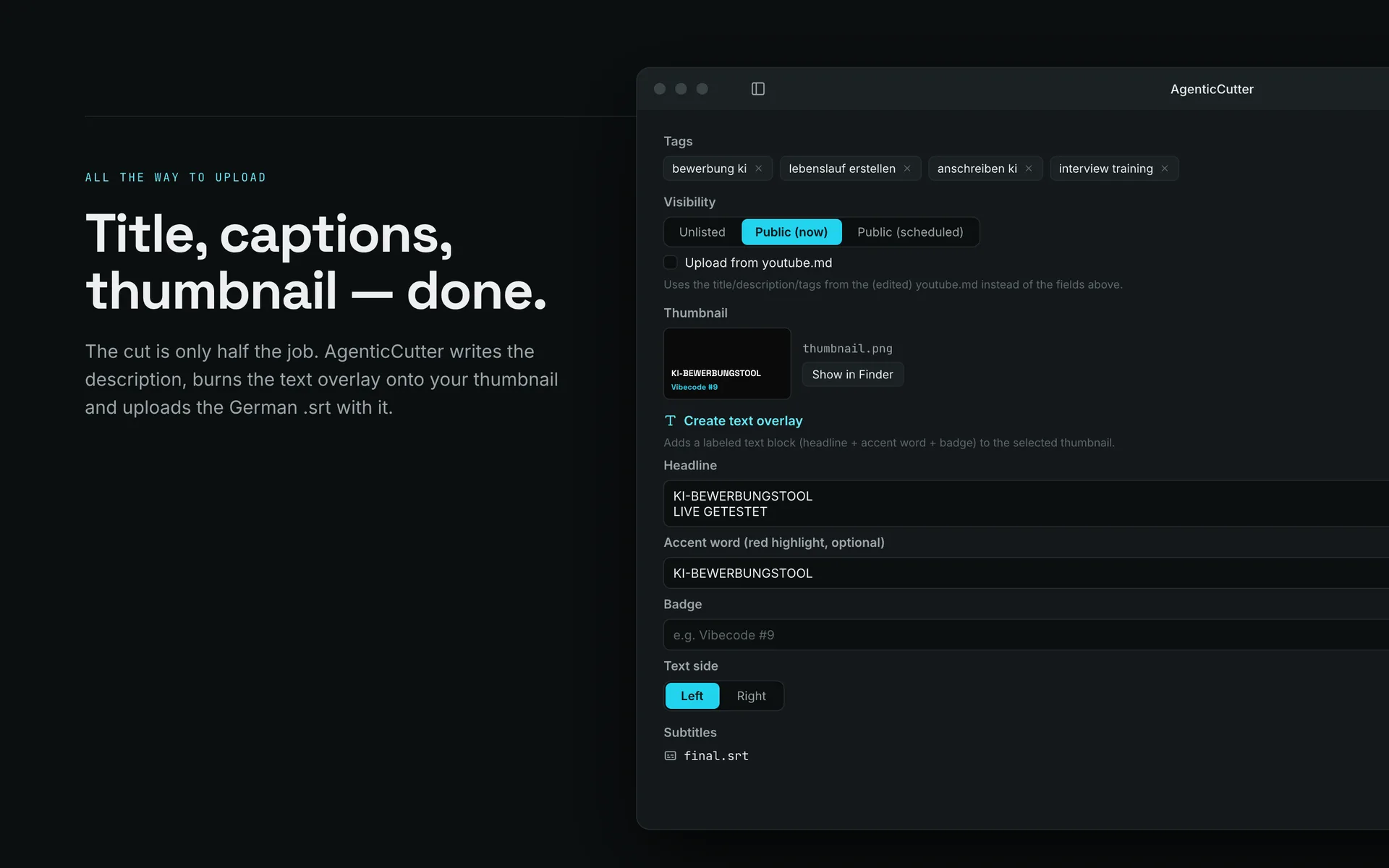
YouTube assets and direct upload
From cut to upload in one command.
Native macOS app
Drag and drop, Review UI, Approve Gate, export as mp4 or ProRes.
On-device visual search
“Find the part where …”: search runs on your Mac.
Content profiles: talking head, screencast, show
Different video types, different cut, runs along automatically.
Karaoke captions and B-roll
Word-by-word captions are burned into 9:16 shorts only, on purpose, so long-form keeps the soft SRT track and YouTube's auto-translation. B-roll inserts are laid in at render time and authored via the CLI.
Short-form: 9:16 export
Short-form cutting and 9:16 export run via the CLI. Automatic subject tracking is planned.
Detect retakes and stumbles
The detection path is built, but not yet wired through to the app and the CLI.
Transitions and crossfades
Audio crossfades at the cut edges run (CLI). Video transitions follow.
Text, overlays, and lower thirds
Lower thirds and cards already render, the graphical editor is missing.
Full-auto without an approval step
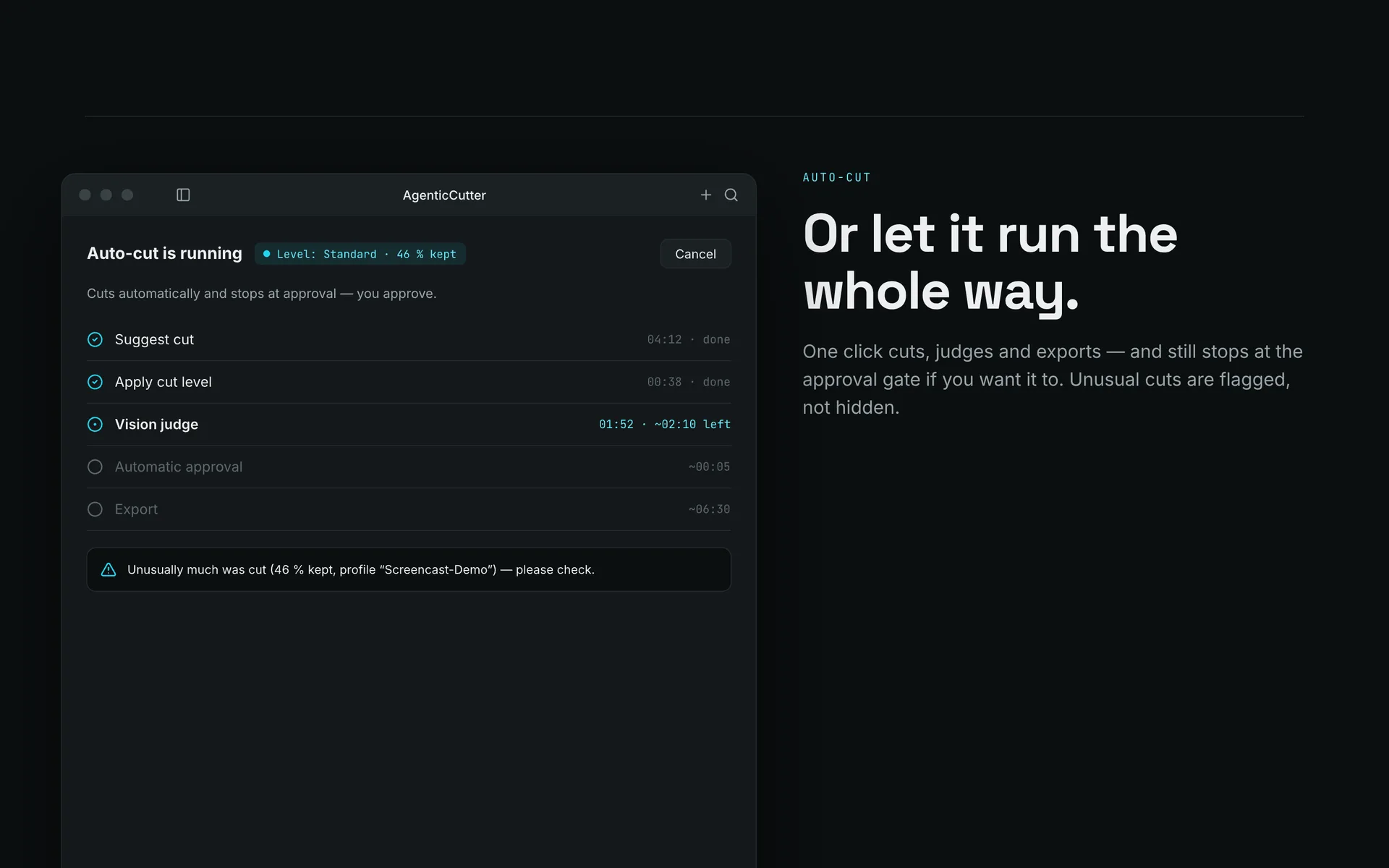
Full-auto runs in the CLI with a safety net. In the app, approval stays mandatory on purpose.
Mac App Store
The app is available directly here today, the App Store follows.
Built for my own videos.
I use AgenticCutter to cut my own videos.
— by Bernhard Götzendorfer
BitGN PAC Hackathon: rank 15 of 222 worldwide
Built solo in three hours on site, Vienna, April 2026. Rank 1 at the Vienna hub.
Daily AI agent work since late 2024
Over 250 prototypes and more than 10,000 documented AI engineering sessions.
In daily use
I cut my own videos with AgenticCutter.
Local, tested stack
Transcription with mlx-whisper, cutting and rendering with ffmpeg run locally on your Mac. With a cloud cut-brain, individual still frames and transcript text may be sent to your chosen provider.
Transcription, cutting and rendering on your Mac.
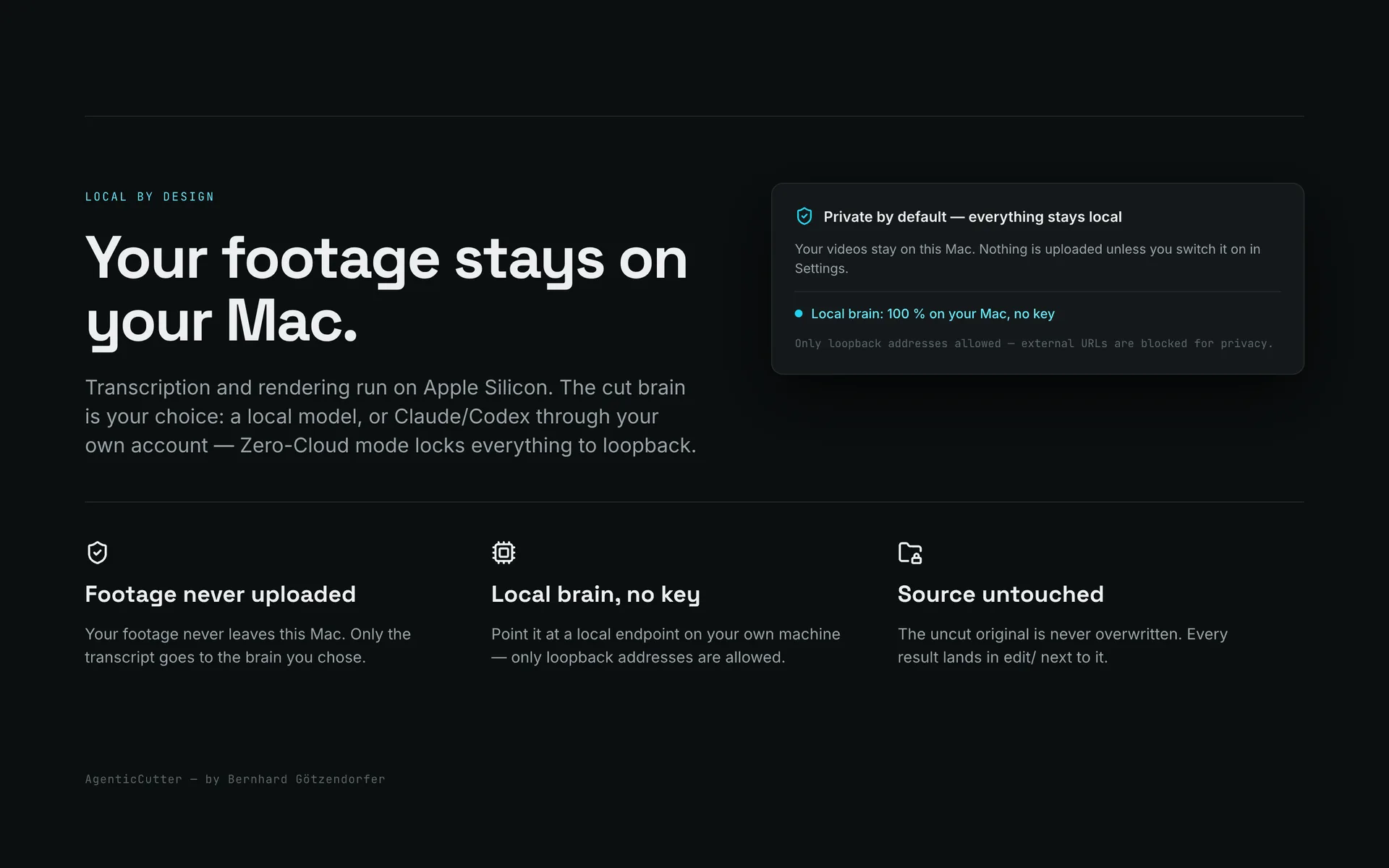
Transcription, cutting and rendering run locally on your Mac. The video file is not uploaded for these steps. With a cloud cut-brain, individual still frames and transcript text may be sent to your chosen provider. LM Studio can also run the cut decision locally.
- Transcription via mlx-whisper, cutting via ffmpeg, both on-device.
- Your video file is not uploaded for transcription, cutting or rendering.
- Zero-Cloud Guard blocks any network access that is not necessary.
Reach measurement without cookies and without personal profiles: only page views, clicks and downloads are counted, in aggregate.
What AgenticCutter costs.
Try it first
7 days free. All you need for a trial key is an email address.
No payment details required.
Your purchase is governed by our contract terms. Please read them first:
What you need
System
- A Mac with Apple silicon and macOS 26 or later.
- Free disk space for models and intermediate files.
- Your footage stored locally on the machine.
Cut brain: your call
The cutting decision can run in the cloud or entirely on your machine. Transcription and rendering are local either way.
- An existing Claude or Codex account through its CLI.
- A local model through LM Studio. Then even the transcript text stays on the Mac.
€9.99 per month
Renews monthly, cancel anytime.
€79 per year
Cheaper than twelve monthly payments. Renews automatically, cancel anytime.
€149 once
Pay once, keep using it. All future updates are included.
After the purchase
- You receive your licence key by e-mail right away.
- Open the app, go to settings, paste the key.
- Done. The key covers up to three Macs at the same time.
E-mail did not arrive? Send the key again
All future updates are included.
30 days money back, no reason needed.
Small-business exemption under § 6 Abs. 1 Z 27 UStG (Austria): no VAT is shown.
Frequently Asked Questions
Where do my videos go? Are they stored on external servers?
Your video file stays on your Mac for transcription, cutting and rendering. If you use a cloud cut-brain, individual still frames and transcript text may be sent to your chosen provider. LM Studio can also run the cut decision locally. A YouTube upload is a separate step that you start.
Can I use my own LLM? And what about Claude Code or Codex?
Yes. Your video file stays on your Mac for transcription, cutting and rendering. If you steer via Claude Code or Codex, your edit instructions go to that provider; a cloud cut-brain may also receive transcript text and individual still frames. LM Studio can run the cut decision locally.
When can I download AgenticCutter?
The download is live: get AgenticCutter for macOS via the download button on this page. The first 7 days are free, then you choose a subscription or a one-time purchase.
Does AgenticCutter run on Windows or Linux?
Currently macOS only, from version 26 with Apple silicon. The app is built natively in Swift and uses Apple silicon directly for local transcription, which is why there is no Windows or Linux build.
How do I control the cutter? Do I need to code?
You work through the native macOS app with drag and drop, a Review UI, and an Approve Gate. Or you control the cutter directly via Claude Code or Codex using natural language. The cutter proposes, you approve, it renders.
What does AgenticCutter cost?
Try it free for 7 days, all you need is an email address. After that: €9.99 per month, €79 per year, or €149 once. The one-time purchase is limited to the first 100 and includes all future updates.
Is there any outbound data traffic? Is it GDPR-compliant?
Transcription, cutting and rendering run locally. With a cloud cut-brain such as Claude or Codex, transcript text and individual still frames may be sent to the provider. Check whether that is appropriate for your material before using it. LM Studio can run the cut decision locally; optional cloud features and YouTube uploads are separate steps.
What does the cutter do today, and what is still in progress?
Fifteen features already work, from filler-word removal and transcript-driven cuts to the native macOS app. Four more are marked as in progress, in the order shown on the roadmap.
Does the cut-brain cost extra?
If you already have a Claude or Codex subscription, the cut decision runs through it, with no extra cost per cut. Without a subscription you run LM Studio locally, which costs nothing but needs a model download.
How long does a cut take?
Two stages run on your Mac: first the transcription, then the render. On a long video each takes several minutes and depends on your Mac, the length and the resolution. You start the job and do something else, the app tells you when the proposal is ready.
Which video formats can I feed in? What comes out?
Anything ffmpeg can read: MOV and MP4 from OBS, ScreenFlow, Final Cut or your iPhone, ProRes from the camera. Out comes MP4 (H.264) or ProRes, optionally plus SRT subtitles and an EDL JSON with every cut decision.
Does AgenticCutter run on macOS 15 or older?
No. AgenticCutter requires macOS 26 or newer on an Apple Silicon Mac. The app uses new system APIs and the Neural Engine directly, and a backport to older versions is not planned. Intel Macs are not supported.
How much disk space and RAM do I need?
The app downloads as a DMG. The current download size is shown beside the download button. On top of that come the local transcription models fetched on first launch, plus intermediate files in the order of magnitude of your raw footage. 16 GB of RAM is enough for a normal cut, with 24 GB you can also run a local language model through LM Studio.
Which languages does the cut work in?
The cut is optimised for German: filler-word detection and the brand glossary are built for German speakers. English works well too because the transcription is multilingual. Subtitles can additionally be translated into further languages.
May I cut client footage with it?
Yes. The licence does not restrict you to private use, contract work is covered. Transcription, cutting and rendering run locally. An optional cloud cut-brain such as Claude or Codex may receive transcript text and individual still frames; check that against your client agreement. LM Studio can run the cut decision locally. Details are in the EULA.
On how many Macs may I use the licence?
With a paid licence you can activate the app on up to three Macs at the same time, one during the trial. You can release a device yourself in the app at any time and win the slot back, no support ticket needed. Passing the key on to third parties is not permitted.
What happens after the 7 days? Are my projects locked?
After 7 days you need a licence to render and export. Transcribing, reviewing the proposed cut and adjusting it keep working. Videos you already rendered, transcripts and project files are ordinary files in your output folder and stay fully yours, licence or not.
What happens if I cancel the subscription?
On cancellation the licence runs until the end of the paid period and then goes inactive. The one-time purchase never expires and includes all future updates. Whatever you already rendered is yours either way.
How local is "local" exactly? Which steps never go online?
Transcription, cut execution, rendering, subtitle generation and visual search run locally. With a cloud cut-brain, individual still frames and transcript text may be sent to your chosen provider, not the video file or audio track. Subtitle translation and YouTube upload are further optional steps that you start. LM Studio can also run the cut decision locally.
How is AgenticCutter different from Descript, Recut, Timebolt or Gling?
Two things. First: your video is never uploaded, while Descript and Gling are cloud services. Second: you steer by instruction rather than by click, you say "keep the second take, cut tighter" instead of marking regions. Recut and Timebolt also cut locally, but along silence rather than along your words. The detailed comparison is on the comparison page.
Can I keep working on the cut in Final Cut, Premiere or DaVinci?
Yes. Next to the finished video AgenticCutter writes an EDL JSON with every cut decision. You can drop the rendered cut straight into your timeline or take the rough cut as a starting point and polish it by hand.
I do not know Claude Code or Codex. Can I still use this?
Yes. The macOS app does everything by drag and drop: pull the video in, look at the proposal, approve, export. You only need Claude Code or Codex if you also want to steer the cutter by chat. An account with one of the two is required though, or a local model through LM Studio.
Does it also cut screencasts where I demo something in silence?
Yes, that is what the screencast profile is for. Pauses where something is happening on screen, a build running, a menu opening, stay in. Only real dead air is shortened. For live coding that is the difference between usable and shredded.
The download is live.
Get AgenticCutter for macOS and cut your first video locally on your Mac. Try it free for 7 days. Needs a Mac with Apple silicon and a Claude or Codex account, or LM Studio.